LangGraph in Production: State, Checkpointing and the Failure Modes Nobody Warns You About
Running LangGraph in production: checkpointers, durability modes, interrupts, retries, streaming, LangSmith tracing, testing, evals and deployment options.

Running LangGraph in production means treating your graph as a durable workflow, not a script. You need a persistent checkpointer (usually Postgres), a thread ID tied to a business object, interrupts for human approval, retry and timeout policies on every node that calls the outside world, streaming for users, tracing in LangSmith or similar, and evals that run before each release.
This guide is written for engineers who already have a graph working on a laptop. It covers the LangGraph-specific mechanics, with short Python examples, and flags the behaviors that surprise teams the first time real traffic arrives. Every API claim was checked against the current LangChain documentation in September 2026.
What actually changes between a LangGraph demo and production?
A demo runs once, in one process, with you watching. Production runs thousands of times, across restarts, with users who close tabs, double-submit and wait hours before approving something. LangGraph has a primitive for most of these problems, but none of them is switched on by default.
| Production concern | LangGraph primitive | What breaks without it |
|---|---|---|
| Resume after a crash or deploy | Persistent checkpointer + thread_id | Runs restart from zero or are lost |
| Human approval mid-run | interrupt() + Command(resume=...) | Approvals block a process or get skipped |
| Flaky APIs and slow models | RetryPolicy, TimeoutPolicy, error handlers | One timeout kills a 12-step task |
| Users waiting on long runs | stream() with updates, messages, custom modes | Blank screen, users retry, duplicate runs |
| Debugging a bad answer | LangSmith tracing, get_state_history() | Guesswork from logs |
| Regressions after a prompt change | Offline evals, trajectory evaluators | Silent quality drops |
| Scaling and background runs | Agent Server (LangSmith Deployment) or your own service | You rebuild a task queue by hand |
LangGraph v1 is described in its release notes as "a stability-focused release for the agent runtime" with unchanged core graph APIs, and the same notes say durable execution, persistence, streaming and human-in-the-loop "continues to be first-class." The same release deprecated create_react_agent in favor of LangChain's create_agent. If your prototype uses the old prebuilt agent, plan that migration before you harden anything else.
How should you design graph state for production?
State design is where most production pain starts, because every field you put in state is serialized and written to the database at every checkpoint.
Keep state small and serializable. Store IDs and references, not whole documents or dataframes. The default serializer handles "LangChain and LangGraph primitives, datetimes, enums and more." Objects outside that list, such as pandas dataframes, need the pickle_fallback option, which is a hint that they probably do not belong in state.
Use a business key as the thread ID. A checkpointer organizes snapshots into threads, and you pass the thread in config: {"configurable": {"thread_id": ...}}. Map it to something you can find later, such as a ticket ID or case number, and keep it under 255 characters, which the persistence docs call out for Postgres compatibility.
Separate thread memory from long-term memory. The docs draw a clear line: checkpointers hold "short-term, thread-scoped memory," while stores are "for long-term, cross-thread memory, including user preferences, facts, and shared knowledge." Putting user preferences in thread state means they vanish when the next conversation starts a new thread.
Watch accumulating fields. Message lists grow with every turn. For large accumulations, the checkpointer docs point to DeltaChannel, which "stores only incremental deltas instead of the full accumulated value, substantially reducing checkpoint size for append-heavy channels."
Which checkpointer and durability mode should you use?
A checkpointer "saves a snapshot of graph state at each super-step, organized into threads." A super-step is one tick of the graph in which all scheduled nodes run, possibly in parallel. That snapshot is what makes resume, human-in-the-loop, time travel and fault tolerance possible.
| Checkpointer package | Class | Use it for |
|---|---|---|
langgraph-checkpoint | InMemorySaver | Tests and notebooks only |
langgraph-checkpoint-sqlite | SqliteSaver | Local development, single-process tools |
langgraph-checkpoint-postgres | PostgresSaver / AsyncPostgresSaver | Production; the docs note it is the one "used in LangSmith" |
langgraph-checkpoint-mongodb | MongoDB saver | Teams standardized on MongoDB |
langchain-azure-cosmosdb | Cosmos DB saver | Azure estates using Microsoft Entra ID |
A minimal production setup looks like this:
from langgraph.checkpoint.postgres import PostgresSaver

DB_URI = "postgresql://app:***@db:5432/agents"

with PostgresSaver.from_conn_string(DB_URI) as checkpointer:
    checkpointer.setup()  # creates tables; run once, e.g. in a migration job
    graph = builder.compile(checkpointer=checkpointer)

    config = {"configurable": {"thread_id": f"ticket-{ticket_id}"}}
    for chunk in graph.stream(inputs, config, durability="sync"):
        ...
Durability modes are a real trade-off
LangGraph accepts three durability values: "exit", "async" and "sync". From least to most durable:
exitcheckpoints only when the run exits (on completion, on an error or at an interrupt). Fastest, but a crash mid-run loses intermediate progress.async(the default) submits each checkpoint write in the background while the next step starts.syncwaits for each checkpoint write to complete before the next step runs.
The checkpointer docs describe "sync" as providing high durability at some performance cost, and "exit" as the best-performing option for long-running graphs. Use sync for workflows with expensive or irreversible steps, such as payments or ticket updates. One practical warning: a public issue on the LangGraph repository (#7094) reports memory growth under the default async mode when checkpoint writes are slow, so load test with your real database latency.
Two behaviors worth knowing before an incident
- Pending writes. If one node fails in a super-step, the outputs of the nodes that succeeded are stored separately, so "the successful nodes' writes are already durable and don't need to be re-run on resume."
- Encryption at rest. Checkpointers can encrypt all persisted state if you pass an
EncryptedSerializer, and on LangSmith "encryption is automatically enabled wheneverLANGGRAPH_AES_KEYis present." If your state holds customer data, turn this on and manage the key like any other secret.
How do human-in-the-loop interrupts work, and where do they bite?
Interrupts "allow you to pause graph execution at specific points and wait for external input before continuing." They need a checkpointer and a thread ID, because the paused state has to live somewhere while a human decides.
from langgraph.types import interrupt, Command

def approve_refund(state: State):
    decision = interrupt({
        "action": "refund",
        "order_id": state["order_id"],
        "amount": state["amount"],
    })
    if decision["approved"]:
        return Command(goto="issue_refund")
    return Command(goto="notify_customer")

# Later, from your approval UI or webhook:
graph.invoke(Command(resume={"approved": True}), config)
The paused run returns an __interrupt__ field describing what it is waiting on. Your API should store that and render it to the reviewer. The resume value becomes the return value of interrupt().
The documentation lists rules that catch almost every team once:
- The node re-runs from the top on resume. "Any code before the interrupt runs again." If you call an API or write to a database before
interrupt(), it runs twice. - Side effects before an interrupt should be idempotent. Better still, move them into a separate node after the approval.
- Do not wrap the interrupt in a broad try/except. It works by raising a special exception; catch it and the pause never reaches the caller.
- Keep the order of multiple interrupts stable within a node, because resume values are matched to them in order.
For debugging rather than approvals, static breakpoints (interrupt_before and interrupt_after) let you step through a graph without adding interrupt() calls. And when a human needs to correct an agent rather than approve it, update_state() "creates a new checkpoint with the updated values," leaving the original intact, while get_state_history() lets you inspect or replay from earlier checkpoints.
How do you handle retries, timeouts and failed tools?
Fault-tolerance settings attach directly to nodes. The defaults for RetryPolicy are three attempts including the first, a 0.5-second initial interval, a backoff factor of 2.0, a 128-second maximum interval and jitter on.
from langgraph.types import RetryPolicy, TimeoutPolicy

builder.add_node(
    "call_crm",
    call_crm,
    retry_policy=RetryPolicy(max_attempts=4, backoff_factor=2.0),
    timeout=TimeoutPolicy(run_timeout=120, idle_timeout=30),
    error_handler=crm_error_handler,
)
What to know:
- The default retry filter is deliberately narrow. It skips common programming errors such as
ValueError,TypeErrorandRuntimeError, and for HTTP libraries it retries only 5xx responses. A 429 from a model provider or a validation error from your own tool will not retry unless you setretry_on. - Timeouts apply only to async nodes. The docs are explicit: "Sync nodes with a
timeoutare rejected at compile time."run_timeoutcaps one attempt;idle_timeoutresets whenever the node shows progress, which suits streaming model calls. - Error handlers are for compensation. An
error_handlerruns only after retries are exhausted and receives aNodeErrorwith the node name and exception. Return aCommandthat routes to a fallback or reverses a partial action. - Set defaults once.
set_node_defaults()applies a retry, timeout and error policy to every node, with per-node overrides.
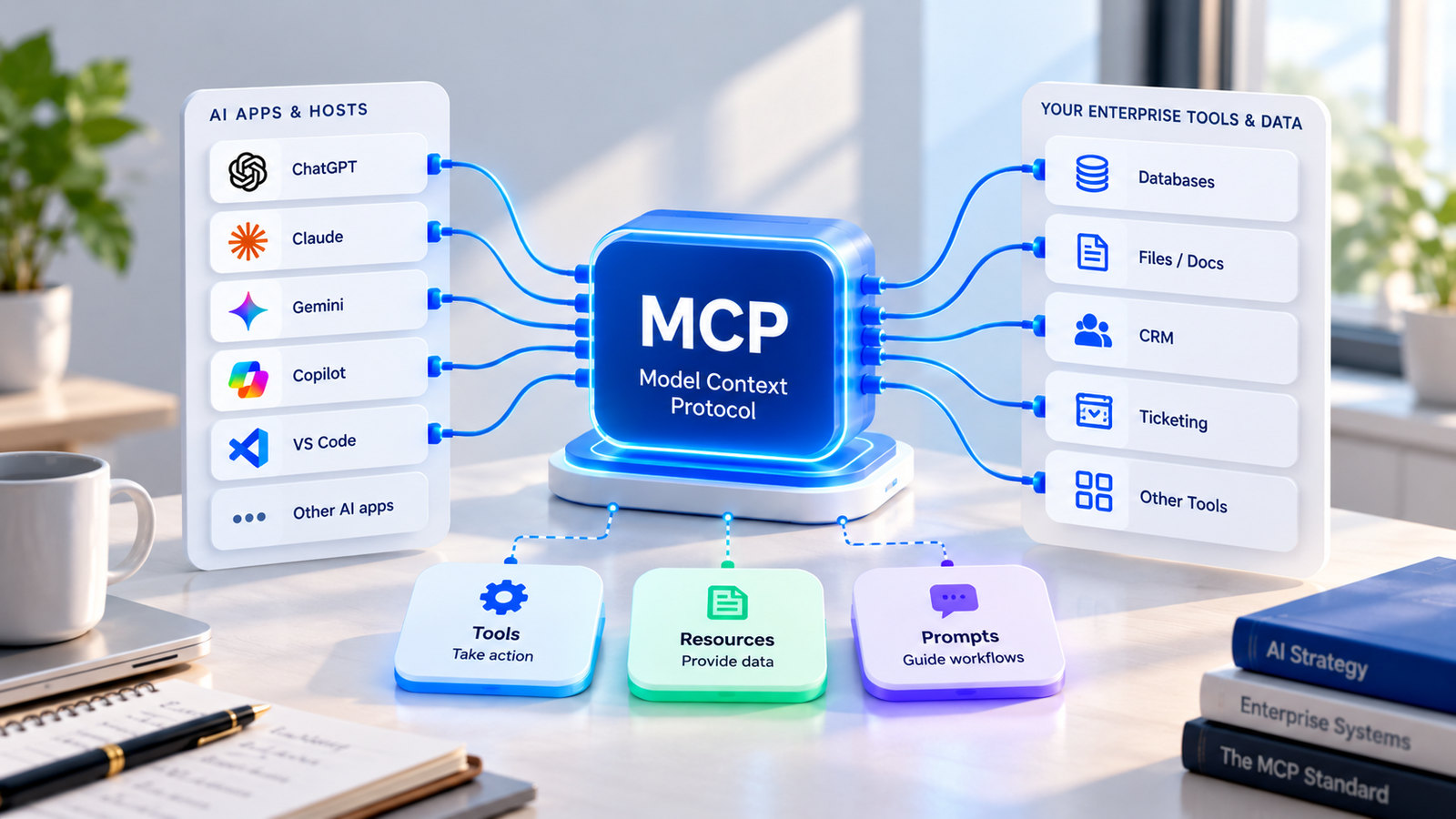
Retries only make sense when the tool behind the node is idempotent. If issue_refund can run twice, pass an idempotency key derived from the thread ID and step, or check for an existing refund first. The same holds for tools reached through an MCP server: the protocol standardizes how a tool is called, not whether it is safe to call twice. Also set a recursion_limit in config for any loop the model controls, so a confused agent fails fast instead of cycling.
What should you stream to users, and what happens when they send twice?
LangGraph's stream() supports seven modes. The three you will use most in a product are updates (state changes after each step), messages (LLM tokens with metadata) and custom (anything a node emits with get_stream_writer, such as "Searching 3 policy documents..."). checkpoints, tasks and debug are more useful for internal tools.
Pass version="v2" to get every chunk in one shape, {"type": ..., "ns": ..., "data": ...}, which is easier to route in an API layer. Add subgraphs=True if progress happens inside nested graphs.
Streaming also reduces a less obvious failure: users who see nothing resend the request. If you deploy on Agent Server, it handles this "double texting" with four strategies: enqueue (the default), reject, interrupt and rollback. If you run LangGraph yourself, you need to build an equivalent per-thread lock.
How do you observe a LangGraph agent in production?
For LangGraph, LangSmith tracing needs no instrumentation code: the docs say you "can enable LangSmith tracing with a single environment variable" (LANGSMITH_TRACING=true, plus an API key). Each model call, tool call or retrieval becomes a run, runs group into a trace, and traces from the same conversation group into a thread by thread_id. Attach user feedback to runs as scores so you can filter for bad outcomes.
Three habits make traces useful rather than noisy:
- Use the same ID everywhere. Put your business key in the LangGraph
thread_id, the trace metadata and your application logs. - Decide what may leave your network. Traces contain prompts, tool inputs and outputs. For regulated data, confirm the masking options available on your LangSmith plan and where it is hosted (cloud or self-hosted) before you enable tracing in production. Our guide to data security in offshore AI development covers how to handle prompts, traces and logs when an outside team builds the agent.
- Pair traces with checkpoints. A trace shows what the model saw;
get_state_history()shows what the graph stored. You usually need both to explain a bad run.
How do you test and evaluate a LangGraph agent?
Split this into deterministic tests and evaluations.
Tests. LangGraph's testing guide recommends that you "create your graph before each test where you use it, then compile it within tests with a new checkpointer instance." You can call a single node through compiled_graph.nodes["node_name"].invoke(...), and test a slice of the graph by seeding state with update_state(..., as_node="previous_node") and running with interrupt_after="target_node". Mock the model and tools here; you are testing routing, state updates and error handling.
Evals. LangSmith separates offline evaluation (curated datasets with reference outputs, run before release) from online evaluation (reference-free checks on live runs and threads). Its evaluator types are human review, code evaluators, LLM-as-judge and pairwise comparison. The docs suggest starting with 5 to 10 curated examples per component and turning production traces into new test cases.
For agents, the final answer is not enough. The open-source agentevals package provides trajectory evaluators that check tool calls in strict, unordered, subset or superset modes, an LLM-as-judge trajectory evaluator, and extract_langgraph_trajectory_from_thread() to pull the node path from checkpoints. Run each case several times, because the same input can take different paths.
Where should you deploy LangGraph?
LangGraph is a library, so you can run it inside any Python service. The question is how much infrastructure you want to build around it.
| Option | Who runs what | Good fit |
|---|---|---|
| LangSmith Cloud | LangChain manages control and data plane (AWS and GCP) | Fastest route; data may leave your cloud |
| Hybrid | LangChain-managed control plane; Agent Servers and data in your infrastructure | Agents in your VPC with managed orchestration |
| Self-hosted with control plane | Both planes in your Kubernetes cluster (Enterprise plan) | Strict data residency |
| Standalone Agent Server | Agent Server via Docker, Compose or Kubernetes; you manage Postgres, Redis and licensing | Teams that want the server but no control plane |
| Your own service | Your API layer + PostgresSaver + your own queue | Full control; you build queuing, streaming and concurrency yourself |
Agent Server is "an API for creating and managing agent-based applications" built on assistants, threads and runs, with "built-in persistence and a task queue." It uses Postgres for checkpoints and core resources and Redis for signaling, cancellation and streaming pub/sub, and scales API servers and queue workers independently. If you choose the do-it-yourself route, that list is effectively your backlog. Plan and licensing requirements for each option change, so check current terms before committing.
A production readiness checklist for LangGraph
Before you put real users on a graph, confirm that:
- A persistent checkpointer (Postgres or equivalent) is configured, with tables created by a migration step
thread_idmaps to a business object and stays under 255 characters- Durability mode is chosen per workflow, with
syncwhere steps are irreversible - State holds references, not large blobs; long-term memory lives in a store
- Every node that calls a network service has a retry policy, timeout and error handler
- Tools with side effects are idempotent, and no side effect sits before an
interrupt() - A
recursion_limitcaps model-driven loops - Streaming is wired to the UI, and double submissions are handled
- Checkpoint encryption is on if state contains customer data
- Tracing is enabled, with a data policy for what traces may contain
- Unit tests cover routing and node logic; an offline eval set gates each release
- Trajectory evals run multiple trials per case
When should you hire LangGraph developers, and what should you ask?
If the checklist above reads as a quarter of work your team has not started, that is usually the point at which companies hire LangGraph developers or bring in a team that has shipped graphs before. Framework familiarity is common; production experience with checkpointing, interrupts and evals is much rarer.
Questions that separate the two:
- "The server restarts during step 6 of a 10-step run. Walk me through what happens with our durability setting."
- "Where would you put the refund API call relative to the approval interrupt, and why?"
- "Which exceptions does the default retry policy skip, and what would you add to
retry_onfor our model provider?" - "How would you test only the routing between two nodes without calling a model?"
- "What would you store in graph state versus a store versus our own database?"
For the wider screening process, including a take-home exercise and red flags, see our guide on how to hire AI engineers.
How fwdpod approaches LangGraph work
Fwdpod builds dedicated AI engineering pods covering LLM development, RAG systems and AI agents, with delivery from India. LangGraph is the framework those pods use for stateful, multi-step agents, built with observability and human-in-the-loop checkpoints rather than adding them after launch. The pod catalogue shows how engagements are structured.
If you have a LangGraph prototype that needs to reach production, or you want to hire LangGraph developers as a dedicated pod rather than individual contractors, configure your AI engineering pod for a proposal or talk to the team.
Frequently Asked Questions
Where can I hire LangGraph developers?
You can hire LangGraph developers through freelance marketplaces, through firms listed in the LangChain Partner Network, through AI engineering companies that offer dedicated pods, or by upskilling your own engineers with LangChain Academy courses. Whichever route you pick, ask for a production example that used a persistent checkpointer, human approval interrupts and an eval suite, not just a demo.
Is LangGraph production-ready?
LangGraph v1 is a stability-focused release with unchanged core graph APIs, and durable execution, persistence, streaming and human-in-the-loop are first-class features. Production readiness depends more on your setup than the library: a persistent checkpointer, retry and timeout policies, tracing and evals.
Can I use SQLite or the in-memory checkpointer in production?
The in-memory saver loses state when the process stops, so it suits tests only. SQLite works for local development and single-process tools. For multi-instance services, LangChain's docs recommend PostgresSaver or AsyncPostgresSaver; MongoDB and Azure Cosmos DB checkpointers are also available.
Do I need LangSmith to run LangGraph in production?
No. LangGraph runs inside any Python service with your own checkpointer and infrastructure. LangSmith adds tracing, evaluation and managed deployment through Agent Server. Without it, you need your own tracing, task queue, streaming layer and handling for concurrent requests on the same thread.
What happens to a LangGraph run if the server crashes?
With a persistent checkpointer, the run can resume from the last saved checkpoint on the same thread. How much progress survives depends on the durability mode: sync writes each checkpoint before the next step, async writes in the background, and exit saves only at the end of the run.
Should I use LangChain's create_agent or build a custom StateGraph?
LangGraph v1 deprecated create_react_agent in favor of LangChain's create_agent, which suits standard tool-calling agents and supports middleware. Build a custom StateGraph when you need explicit control over routing, approval steps, parallel branches or compensation logic.
How do I stop a LangGraph agent from looping forever?
Set a recursion_limit in the run config so the graph stops after a fixed number of steps, add conditional edges that end the run when a goal or step budget is reached, and alert on runs that hit the limit so you can fix the prompt or routing that caused the loop.